Softora
Home
Categories
CRM & SalesEmail MarketingProject ManagementAccounting & InvoicingCustomer SupportHR & PayrollSEO & AnalyticsWebsite BuildersAI ToolsNo-Code & AutomationTeam CommunicationHosting & DevOpsE-commerce Platforms
BlogBest SoftwareCompare ToolsResourcesContact
Home/Compare Tools/Softr vs Glide
No-Code & Automation comparison

Softr vs Glide (2026): Client Portal Costs & Permissions

Compare Softr with Glide Classic on a 100-client portal budget, user billing, record permissions, updates, publishing limits, and the data you can export.

Updated October 16, 202617 min read
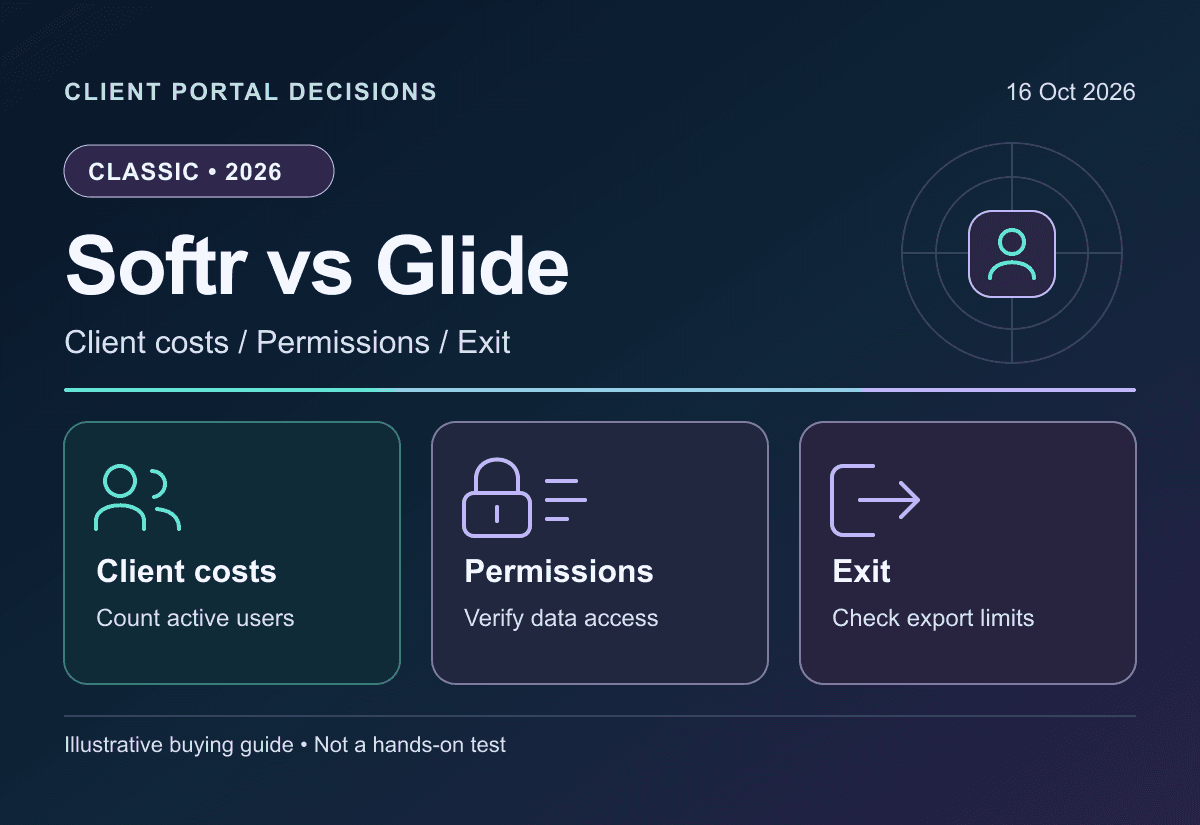
Original Softr versus Glide Classic illustration separating portal users, record access and operating costs
SoftrvsGlide Classic

Key takeaways

1

This comparison covers Glide Classic, not the separate GlideOS product. Classic Free supports building and previewing; publishing requires a paid plan.

2

Five staff plus 100 clients budget Softr Pro at $149/month equivalent with annual base and monthly extras, versus Glide Classic Business at $574 at annual rates, under the stated identity and usage assumptions.

3

Softr global View restrictions are available on all plans; global Create/Edit/Delete requires Business+. Glide Row Owners restrict row downloads on the server. Interface visibility alone is not a complete access-control design.

4

Workflow actions, updates, AI credits, connectors and exports have separate boundaries. Native-table operations are not universally exempt from Glide update charges, and CSV export is not a portable complete application.

Softora verdict

Softr for a client-heavy portal shortlist; Glide Classic for a data-driven app workflow

Softr can have a lower subscription budget for a portal with many external clients, but its user classifications and permission tiers must fit. Glide Classic merits a shortlist when its data editor, supported connectors and server-enforced Row Owners fit the application, after accounting for active users and updates. This comparison is about Classic, not the separately subscribed GlideOS product. Neither a hidden component nor a cheap user allowance proves a secure portal.

Client and team user pools

Softr

Client portals and internal applications whose builder count, Team/Client email classification, data sources and required permission controls fit the selected plan.

USD annual equivalents/month: Basic $19, Pro $99, Business $329; monthly payment $25/$119/$395. Pro includes 10 Team and 50 Client users; extras are $3/$1 monthly. Free has five combined app users.

Strengths

  • Separate client-user pricing on eligible paid plans
  • Native databases plus supported external sources
  • Documented global view restrictions on all plans

Watch for

  • Global create/edit/delete restrictions require Business+
  • Comments blocks are outside global data restrictions
  • Extra-user charges remain monthly on an annual base
Read full review

Data-driven apps with update metering

Glide Classic

Spreadsheet or native-table applications whose user domains, data-source tier, Row Owners rules and update consumption have been validated on the actual plan.

USD annual equivalents/month: Explorer $19, Maker $49, Business $199; monthly payment $25/$60/$249. Business includes 30 monthly active users and 5,000 updates; Free publishing is not included.

Strengths

  • Row Owners restrict unauthorized row downloads
  • Maker supports unlimited personal/education users
  • Business supports any-email users and additional connectors

Watch for

  • Maker is not unlimited business-email users
  • Paid overages and server-side workflows can consume updates
  • Classic and GlideOS require separate subscriptions and migration planning
Read full review

Decision table

Where each tool wins

Softr vs Glide: feature boundaries and conditional recommendations
FactorSoftrGlide ClassicWinner
Product being comparedCurrent Softr app builderGlide Classic, not credit-based GlideOSConfirm the product before pricing
Free starting pointFive combined app users; limited builders, data and workflowsBuild and preview; publishing requires a paid planDifferent free-use boundaries
Five staff plus 100 clientsPro: $149/month equivalent with annual base and monthly extrasBusiness: $574/month equivalent at annual ratesSoftr costs less under the stated assumptions
Same audience with global write restrictionsBusiness: $329/month equivalent; 100 Client users includedDifferent control model; validate intended writes and ownershipDo not call Pro feature-equivalent
Business-email usersTeam classification depends on a builder's business domainBusiness or Enterprise; Maker personal users are differentPrice actual identities, not job labels
Record view protectionGlobal View restrictions on all plans; exceptions applyServer-enforced Row Owners available for all Glide appsVerify each private table and route
Usage modelMonthly workflow actions and AI creditsMonthly updates; optional $0.02 per excess updateMeasure billable operations, not screen clicks
Native dataSoftr Databases plus external sourcesGlide Tables/Big Tables plus plan-gated sourcesNeither is only a spreadsheet skin
Mobile distributionBusiness PWA offering; not a native binary by itselfInstallable web app with link and QR sharingVerify offline and store needs separately
Export and exitDocumented table CSV/XLSX; not a complete app backupTable CSV omits empty columns and cross-table computed linksRehearse data and configuration recovery

Best-fit buyer profile

Which tool fits your team better?

The winner depends on workflow maturity, team size, budget, and how much structure your team can maintain after the trial ends.

Choose Softr if...

The portal audience genuinely fits Team versus Client classification and the selected plan's maximums.
Pro covers the required controls, or Business's global write restrictions justify the higher budget.
Native or external data limits, connectors and workflow actions match the operational workload.
Private records, Comments exceptions and exported data have been checked with ordinary user roles.

Choose Glide Classic if...

The requirement is Glide Classic's data-driven no-code workflow, not a GlideOS credit-based project.
Actual personal or business email domains fit Maker or Business without changing identities to force a cheaper tier.
Row Owners protects private tables and the team understands OR semantics for multiple owners.
Monthly active users, server-side workflow updates and exit limitations are budgeted explicitly.

In this comparison

The Short Answer: Compare Softr with the Right Glide ProductUser Pricing: Builders, Staff and Clients Are Different CountersA 100-Client Portal: State the Audience Before Calculating CostPermissions: A Hidden Page Is Not a Complete Data BoundaryUpdates and Workflow Actions: Budget the Operations Behind the ScreenData Sources and Row Limits: The Connector Can Decide the TierMobile and Builder Experience: Test the Actual Work, Not the DemoExports: Recover the Data and Rebuild the Application DeliberatelyRenewals and Usage Controls: A Fixed Base Does Not Fix the Whole BillFinal Choice: Match Identity, Permissions, Usage and Exit TogetherDecision checklistCommon mistakesMigration questions

The Short Answer: Compare Softr with the Right Glide Product

For a client-heavy portal, shortlist Softr when its client-user pricing and permission controls fit the job. Shortlist Glide Classic when its data model, supported integrations and app workflow fit better after budgeting active users and updates. A portal with five employees and one hundred clients is not the same purchase as a private tool for thirty employees. Neither platform is universally cheaper or demonstrably easier for every builder.

There is now an important product boundary. Glide's main pricing page, updated September 2026, covers GlideOS, a separate credit-based development product. Classic retains its own plans and subscriptions. Glide says existing Classic apps continue working, but its current documentation does not provide a seamless Classic-to-OS migration or shared account data. This article compares Softr with Glide Classic; it does not quietly substitute OS prices, credits or backup features.

Research checked October 16, 2026 uses official pricing and documentation, not hands-on app-building, security or speed tests. USD examples separate monthly payment from annual equivalents and exclude taxes, extra usage and external services. The Softr review and Glide review provide background, while the dated sources below govern this comparison's current plan claims. Use the no-code category if the requirement is a different kind of application or automation platform.

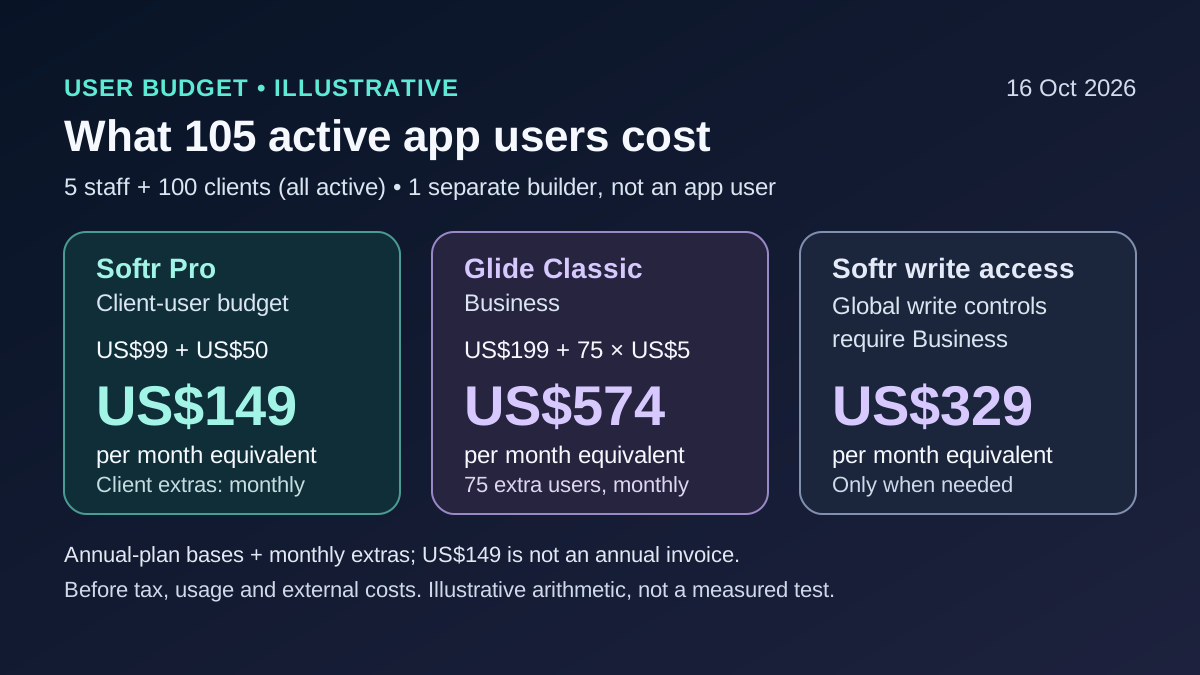
Illustrative 105-user portal budget: Softr Pro 149 dollars monthly equivalent, Glide Classic Business 574, with different feature limits
Calculated scenario, not an observed invoice: one separate builder, five same-domain staff and 100 other-domain clients active monthly. Annual-base equivalents, recurring extras and required permission tiers are separate.

User Pricing: Builders, Staff and Clients Are Different Counters

Softr's billing guide distinguishes workspace builders from app users. Builder accounts can use apps without consuming the app-user allowance. A Team user shares a business email domain with a builder; everyone else is classified as a Client user, including personal-email domains. Consequently, an employee using Gmail can consume Client capacity. These are billing classifications, not permission roles or proof that a person is external to the business.

Softr counts the same email once across published apps in a workspace and excludes deactivated users. Free has five combined users; Basic includes five Team and five Client users without extra-user purchases. Pro includes ten Team and fifty Client users, with monthly extras at $3 and $1, up to the documented maximums. Business includes thirty and one hundred, with different extra-user rates. Do not multiply an allowance by the number of apps or assume Free scales through the same add-ons.

Glide Classic pricing defines users by unique people signing into a team's apps during a month. Explorer permits one hundred personal users, while Maker permits unlimited personal/education users; arbitrary business email domains require Business or Enterprise. Business includes thirty users and charges $6 per extra user with monthly billing or $5 at annual rates. The Airtable alternatives guide is useful when the real decision is replacing a database, but a portal budget must count its app audience separately from database editors.

Current USD plan prices checked October 16, 2026; annual figures are monthly equivalents, not monthly-payment offers, and users are not identical billing units
PlanMonthly paymentAnnual monthly equivalentIncluded app usersBuilders / editors
Softr Basic$25$195 Team + 5 Client; no extra-user add-on1 builder
Softr Pro$119$9910 Team + 50 Client; $3/$1 monthly extras2 builders
Softr Business$395$32930 Team + 100 Client; $5/$2 monthly extras3 builders
Glide Classic Explorer$25$19100 personal users2 editors; 1 published app
Glide Classic Maker$60$49Unlimited personal/education users2 editors; 3 published apps
Glide Classic Business$249$19930 monthly active any-email users10 editors; unlimited apps
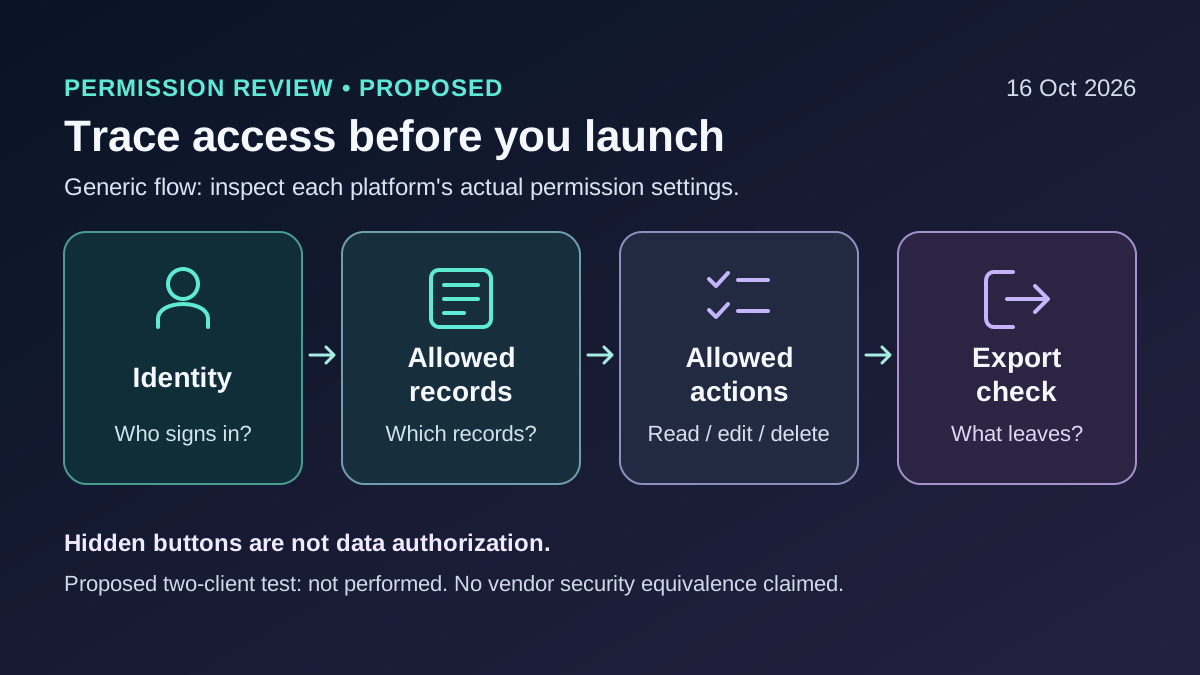
Proposed portal test checks identity, allowed records, allowed actions and export scope rather than only hidden controls
Proposed authorized evaluation, not a performed security test. Check two synthetic clients and a staff account across records, actions and exported data.

A 100-Client Portal: State the Audience Before Calculating Cost

Assume one separate builder who does not sign into the app, five staff using that builder's business domain, and one hundred clients using other domains. All 105 app users sign in each month. The app fits the selected storage, connector and workflow limits, and no usage overages are included. This prevents Softr's provisioned-user rules and Glide's monthly-active-user rules being compared using different populations. A less-active audience could produce a different Glide bill.

Softr Pro's annual base is $1,188 upfront. Fifty clients exceed its included fifty, adding $50 each month. The steady twelve-month budget is therefore $1,788, or $149 per month equivalent; it is not one all-inclusive $1,788 annual invoice. On monthly payment, the base plus those extras is $169. If the requirement includes global create/edit/delete restrictions, Softr Business is the relevant documented tier at $329 annual equivalent or $395 monthly, not Pro at $149.

Glide Classic Business at annual rates is $199 plus seventy-five extra active users at $5, or $574 per month equivalent. Its pricing FAQ requires enabling additional-user usage for that expansion; this is separate from choosing update overages. Twelve unchanged months budget $6,888 before updates, taxes or extras. Monthly-payment pricing is $249 plus seventy-five at $6, or $699. These are subscription scenarios, not equivalent-feature guarantees or tested savings. For thirty staff-only users, Softr Pro instead needs twenty extra Team users: $159 annual-basis equivalent versus Glide Business at $199. Record assumptions with the software evaluation checklist.

Five same-domain staff + 100 other-domain clients active every month; one separate builder does not use the app. Before tax, extra usage and external services; twelve-month estimates assume stable billable quantities
ConfigurationAnnual-basis monthly budgetTwelve-month budgetMonthly-payment budgetRequirement caveat
Softr Pro + 50 extra Client users$149$1,788$169$1,188 annual base + $50/month extras; not global write restrictions
Softr Business$329$3,948$395Included audience; global Create/Edit/Delete restrictions available
Glide Classic Business + 75 extra users$574$6,888$699Additional-user usage enabled; different permissions/updates, not feature-equivalent

Permissions: A Hidden Page Is Not a Complete Data Boundary

Softr's permissions overview separates interface visibility from data access. Its dedicated global restrictions guide says View restrictions are available on all plans, including Free; global Create, Edit and Delete restrictions require Business or above. The shortened pricing-card label should not be interpreted as saying all private viewing requires Business. Conversely, this does not establish that every Pro workflow has the same write controls.

Restrictions are configured for a source table and user groups. Pro permits three custom user groups and Business ten; client isolation can use identity-based record conditions rather than requiring one group per client. Where no other control applies, the documented default is unrestricted; conflicting Can't rules take precedence. Comments blocks are excluded from global restrictions. Inventory every private table and interaction instead of protecting only the first list users see. The sources describe Softr's application controls, not a guarantee of database-native row-level security or identical enforcement on a separate direct API connection.

Glide's Row Owners documentation explicitly says its servers prevent unauthorized rows being downloaded, and that the feature is available for all Glide apps. Multiple owner columns form an OR condition, not an AND condition. Protect user-profile rows as well as business records; a public directory may need a separate table containing only publishable fields. A hidden button alone is not a substitute. For an authorized pilot, use two synthetic clients and a staff account to check direct record links, downloadable data and attempted writes; no such security test was performed here.

Updates and Workflow Actions: Budget the Operations Behind the Screen

The Glide Updates guide distinguishes user-triggered native-table changes from server-side workflows. User actions modifying Glide Tables or Big Tables do not consume updates under the stated current rules, while scheduled or automatically triggered workflows modifying those same tables do. External-source changes, integrations and API operations can also consume updates. The broad claim that native data never uses updates misses those exceptions; legacy and negotiated Enterprise rules can differ too.

Glide Business includes 5,000 updates shared across the team's apps. If the team records 7,000 and optional unlimited updates is enabled, the extra 2,000 at $0.02 cost $40. Unlimited refers to permission to incur overages, not free processing. Without that option, reaching the allowance can interrupt the workflow. Extra Sync can consume updates even when external data has not changed; integration costs vary, so a button click or whole workflow is not automatically one update.

Softr pricing lists monthly workflow-action allowances of 500 Free, 2,500 Basic, 10,000 Pro and 25,000 Business, with separate AI credits. A planning example of one hundred clients submitting twice, each triggering three assumed single-unit billable actions, totals 600 actions. That exceeds Free but fits Basic's action count; Basic still fails the audience requirement. Verify actual metering rather than treating the example as a tested execution trace. Workflow exhaustion pauses workflows. The Zapier vs Make comparison helps budget separate connectors without confusing their meters with either app builder.

Illustrative usage math, not execution measurements; a workflow action and a Glide update are different meters and connector-specific rules must be checked
ScenarioCalculationResultWhat it establishes
Glide Business, overages enabled7,000 measured updates - 5,000 included2,000 × $0.02 = $40Extra charge, not free unlimited usage
Softr submission workflow100 clients × 2 submissions × 3 assumed billable actions600 actionsExceeds Free's 500; Basic action count fits but audience does not
Softr Pro, 30 staff-only app users$99 annual-base equivalent + 20 × $3 Team extras$159/month equivalentBuilder separate; no clients or extra usage

Data Sources and Row Limits: The Connector Can Decide the Tier

Softr is not restricted to being a frontend over someone else's spreadsheet. Its native database guide describes Softr Databases, alongside external data-source options. The current pricing matrix distinguishes records per workspace from records per database: Pro lists 500,000 across the workspace but 50,000 in one database. A large total does not guarantee that one growing operational dataset fits without a different design or plan.

Glide Classic also separates spreadsheet-source capacity from high-scale data-source capacity. Business lists 25,000 spreadsheet rows versus up to 100,000 high-scale rows. Maker adds Google Sheets sync; Business adds Airtable/Excel sync and API capabilities; SQL is positioned under Enterprise. A CSV import, a one-time spreadsheet copy and a live synchronized source are different capabilities. Confirm the exact connector and its supported actions before pricing an app from the broad '100k rows' headline.

Build the source inventory first: owners, row identifiers, relationships, files, computed values, refresh needs and permission boundaries. If Airtable remains the system of record, its own subscription and limits stay in the budget. If the job is a governed internal interface over existing databases, Retool is another option to evaluate. Moving a dataset into a native table can simplify some dependencies while creating a new export and recovery responsibility.

Mobile and Builder Experience: Test the Actual Work, Not the Demo

Glide's publishing documentation describes browser URLs, link/QR sharing and installation on mobile home screens or desktops. It explicitly requires a paid plan for publishing; Free supports building and previewing. Softr lists its installable PWA offering on Business. An installable web app is not by itself a native App Store binary, and the reviewed sources do not justify a blanket promise about native-store submission, wrappers or offline behavior.

For a field-workflow evaluation, ask a user to open a record on a phone, attach a photo, recover from a connection interruption and revisit the result on desktop. For a client portal, check invitation, password/login recovery, a confidential document and an attempted cross-client link. For the builder, check a schema change and a failed automation. These are proposed acceptance checks, not Softora usability scores or a claim that either app works offline by default.

Keep public marketing content and private application data separate. A custom domain or public page is not evidence of search indexability, and a private portal should not expose client records for SEO. If the primary job is publishing articles or landing pages, the Webflow vs Framer comparison addresses that different decision. If prompt-driven software generation is the priority, examine Lovable and GlideOS under their own runtime and export terms rather than importing those claims into Classic.

Exports: Recover the Data and Rebuild the Application Deliberately

Softr's export guide documents Table CSV/XLSX exports and Item Details PDF output. Those are useful deliverables, not proof of a restorable application containing authentication, permissions, workflow definitions, interface layout and attachment binaries. If export is exposed to end users, verify the permitted record scope rather than assuming the download contains only what the current screen happens to show.

The Glide Tables guide describes choosing columns and exporting CSV. Empty columns and computed columns linking to other tables are excluded; that is narrower than saying every computed column is missing. Classic's pricing matrix places Data Backups under Enterprise. Do not borrow GlideOS's separately advertised backup windows or mistake a manual table download for that managed backup capability.

Before launch, export a synthetic sample with stable identifiers, a relationship, a file and a restricted record. Check whether file links remain usable independently, how computed relationships would be recreated and who owns the destination authorization rules. The reviewed evidence does not establish a complete executable-code export or self-hosting route for either product, so portability remains an explicit purchasing check. The no-code tools guide can structure the wider choice; a successful CSV download alone does not settle it.

Renewals and Usage Controls: A Fixed Base Does Not Fix the Whole Bill

Softr checks extra-user counts daily and documents an initial seven-day grace period before prorated charges when the included allowance is first exceeded. Extras remain monthly on an annual base. Removing users does not create a mid-cycle refund; unused capacity is adjusted at the relevant renewal. Workspace builders, extra domains and client/team pools have different prices. A stable $99 base is therefore not a hard $99 spending cap.

Glide's active-user count and optional update overages can change the operating bill independently of the app's design. Assign an owner for usage alerts, subscription changes and access removal. Record trial expiry and the selected current versus legacy plan before comparing invoices. Exact post-cancellation data-retention and attachment-recovery windows were not established here; export before cancellation and obtain the account-specific answer instead of inventing a free archival period.

Final Choice: Match Identity, Permissions, Usage and Exit Together

Choose Softr provisionally when a client-heavy audience fits its billing pools and the required permissions and connectors are available on the intended plan. The worked 105-user Pro budget is attractive only if Pro actually meets the application's requirements; global write restrictions can change the selection to Business. Choose Glide Classic provisionally when its data-driven workflow and Row Owners model fit, and the team has budgeted business-email users and actual updates rather than Maker's personal-user headline.

Neither page count nor a free editor should decide alone. Validate identity classification, private-data boundaries, one real workflow, a busy-month usage model and an independent export. Keep a record of the vendor's answer for unresolved features. The SaaS spending guide helps compare the continuing operating cost, but the best final evidence is a permission-safe pilot of your own workflow—not a claimed universal winner or a promise that no-code eliminates maintenance.

Decision checklist

Confirm Glide Classic versus GlideOS before comparing plans, usage units or backup entitlements.
List builders, staff and client email domains, then count provisioned and monthly active users separately.
Test read, create, edit, delete and export boundaries with two synthetic clients and a staff role.
Map the actual data source, row/storage limits, relationships, files and refresh requirements.
Measure workflow/update consumption in a small pilot and decide who can enable overages.
Download a representative data export and document the configuration, permissions and files that need rebuilding.

Common mistakes to avoid

Mixing GlideOS credits, prices or backup windows into a Glide Classic comparison.
Treating Softr billing classifications as authorization roles or Glide Maker as unlimited company-email access.
Calling Softr's $149 scenario one annual invoice, or comparing Pro with Business-level global write requirements.
Using hidden pages/buttons as the only privacy control or overlooking Comments and profile-table data.
Assuming native Glide data never uses updates, or that enabling unlimited updates fixes the bill.
Equating a CSV or an installable web app with a complete portable application or native App Store release.

Migration questions before switching

Which user identities, roles and source-table restrictions must exist before records are imported?
Which relationships, computed columns, workflows and interface behavior are absent from the export?
Can required files be retrieved independently after the source account is canceled?
Will a change in data source or workflow trigger alter update/action consumption?
What retained source, tested destination and rollback criteria are required before cutover?

Helpful Softora links

Softr ReviewGlide ReviewNo-Code and Automation CategoryAirtable AlternativesNo-Code Tools GuideZapier vs MakeLovable ReviewSoftware Evaluation Checklist

FAQs

Common questions about Softr vs Glide

Does this comparison cover GlideOS or Glide Classic?

It covers Softr versus Glide Classic, the original no-code app platform. GlideOS is a separate credit-based product with its own account and subscription. The current official page says existing Classic apps continue functioning but there is no seamless Classic-to-OS migration or shared account data. OS pricing and backup features are not substituted here.

How much does a portal with five staff and 100 clients cost?

With a separate builder, the stated email classifications and all 105 app users active monthly, Softr Pro budgets $149/month equivalent on an annual base plus monthly client extras, or $169 on monthly payment. Glide Classic Business budgets $574 at annual rates or $699 monthly, before update overages. Softr Business is $329 annual-equivalent/$395 monthly if its global write controls are required. These packages are not feature-equivalent.

Does Glide Maker include unlimited business users?

No. Maker's unlimited allowance is for personal or education email domains. Business and Enterprise support any email domain. A deployment whose staff or clients use company addresses should not be priced as unlimited Maker personal users unless it genuinely meets the documented eligibility.

Are Softr Team users the same as permission roles?

No. Team versus Client is a billing classification based on whether an app user's email shares a business domain with a workspace builder. Personal email domains count as Client users. Authorization must be configured independently; the billing label is not proof of what records a user may read or change.

Which Softr plans include global data restrictions?

The dedicated guide says global View restrictions are available on all plans, including Free. Global Create, Edit and Delete restrictions require Business or above. Comments blocks are excluded. This does not mean every private viewing case requires Business or that all lower-plan write workflows have equivalent controls.

Do Glide Tables always avoid update charges?

No. The current guide exempts user-triggered native-table changes, but server-side scheduled or automatic workflow changes, API operations and integrations can consume updates. Legacy or Enterprise terms can differ. On Business, 7,000 measured updates with unlimited updates enabled means 2,000 excess updates at $0.02, or $40.

Can I publish a Glide Classic app on Free?

Current publishing documentation says a paid plan is required. Free users can build and preview, but publishing prompts an upgrade. Legacy exceptions were not verified. An installable web app also does not by itself establish native App Store publishing or offline behavior.

Can a CSV export move the whole app to another host?

No such complete transfer is established by these export features. A table export does not preserve the full interface, authentication, workflows, permissions and attachment files. Glide CSVs also omit empty columns and computed columns linking to other tables. Verify data and configuration recovery separately before relying on a migration or self-hosting plan.

Related comparisons

Keep comparing your shortlist

View comparison hub

No-Code & Automation

Zapier vs Make

Zapier wins for simplicity and integration breadth. Make is better for complex multi-step workflows with visual logic, branching, and cost efficiency at scale.

Hosting & DevOps

Vultr vs Hetzner

Compare specific Vultr and Hetzner Cloud plans in Germany and Singapore, including IPv4, outbound transfer, backups, snapshots, billing, and migration costs.

SEO & Analytics

Sitebulb vs Screaming Frog

Compare Sitebulb and Screaming Frog on free limits, real Desktop and Cloud costs, JavaScript crawling, audit coverage, client reporting, and reusable exports.

Softora

Softora is an independent review site helping businesses find the right software without marketing noise. Every recommendation is backed by hands-on testing, pricing verification, and editorial review.

We cover CRM, project management, email marketing, AI tools, no-code automation, SEO, hosting, and more. No paid placements, no sponsored rankings - just honest, editorially independent evaluations.

Quick Links

  • Home
  • Categories
  • Reviews
  • Blog
  • Resources
  • Authors

Legal

  • Privacy Policy
  • Terms of Service
  • Disclaimer
  • Contact

Legal Disclaimer

Softora is supported by its readers. When you purchase software through links on our site, we may earn an affiliate commission. This never influences our editorial decisions or final scores. Our reviews are based on technical analysis and hands-on testing. Softora does not accept paid placements, sponsored rankings, or vendor-funded scores. All editorial content is produced independently by the Softora team. Pricing, features, and availability of the products reviewed on this site may vary and should be confirmed directly with each vendor before making a purchasing decision. Software products change frequently and the information published on Softora may not reflect the most recent updates from each vendor. We make every effort to keep our content accurate and current, but readers should always verify critical details such as pricing tiers, usage limits, contract terms, and feature availability directly with the software provider before committing to a purchase or annual subscription.

(c) 2026 Softora Media Group. Independent. Honest. Expert.